ClipCut

여기에 이미지를 끌어다 놓으세요Drop image here
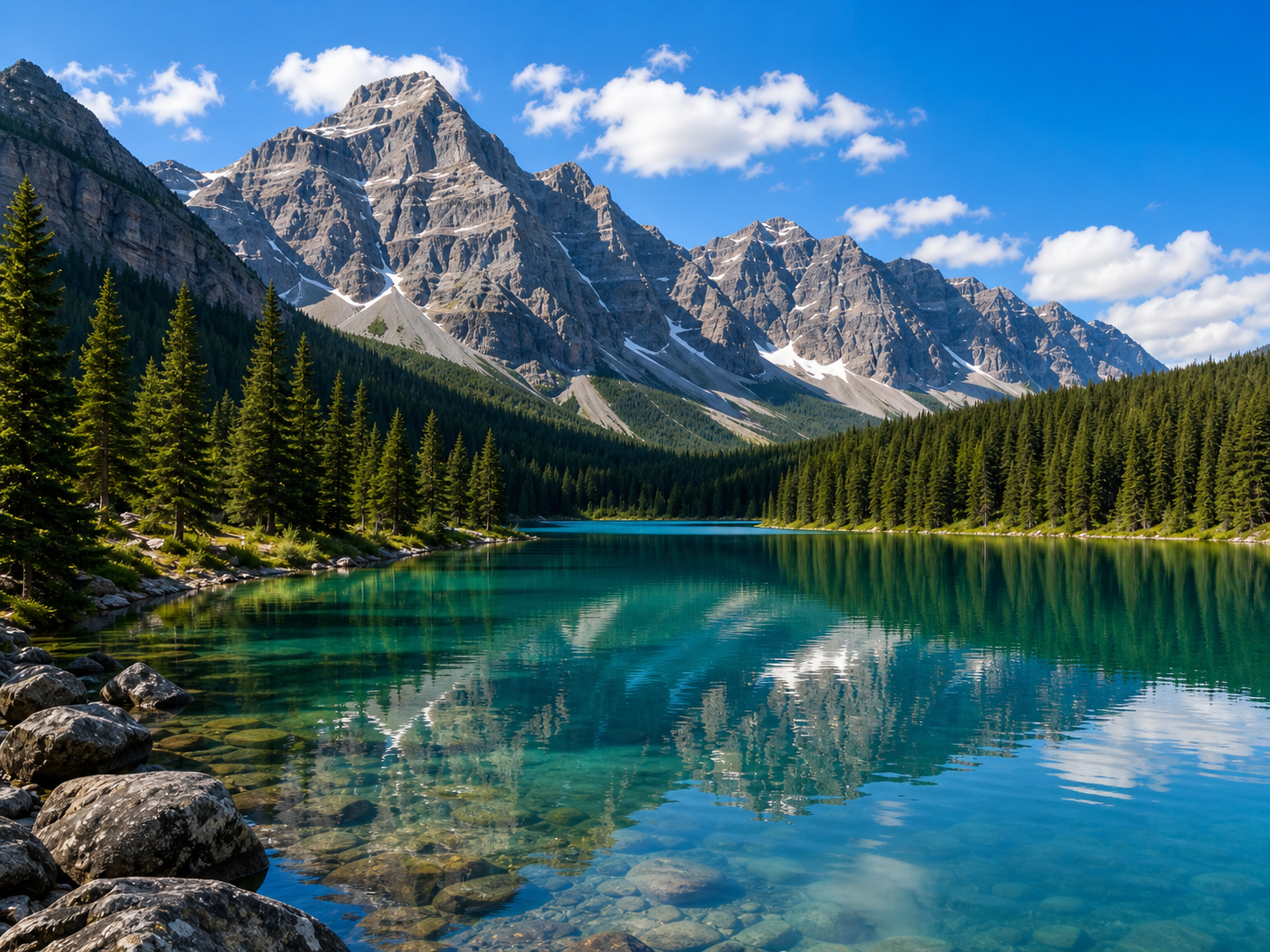
크기 변경을 시험할 수 있는 산과 호수 예시 이미지
100
원본 크기Original: 4032 × 3024 (12.2 MP) 출력 크기Output: 2016 × 1512 (3.0 MP)

편집 도구Tools

크기 조절Resize

예상 파일 크기Est. Size
현재 약
KB
비율Ratio: 4:3
50%

반전 및 회전Flip & Rotate

자르기Crop

모든 이미지 처리는 브라우저 안에서 실행됩니다. 이미지가 외부 서버로 전송되지 않습니다.

사이트 소개About

복잡한 설치 없이, 필요한 이미지 작업만 빠르게Quick image editing without complex setup

ClipCut은 블로그 작성자, 온라인 판매자, 학생, 디자이너처럼 이미지 크기 조절과 배경 제거가 자주 필요한 사용자를 위한 무료 웹 도구입니다. 별도의 회원가입이나 프로그램 설치 없이 브라우저에서 바로 사용할 수 있으며, Windows 11에서 익숙하게 보던 창과 시작 메뉴의 사용 경험을 웹에 담았습니다.

ClipCut is a free web tool for bloggers, online sellers, students, and designers who frequently need to resize images or remove backgrounds. No sign-up or software installation required — use it directly in your browser, with a familiar Windows 11-style interface.

크기 변경, 자르기, 좌우 반전, 회전과 투명 마스크 합성은 모두 브라우저에서 처리합니다. 배경 제거를 실행하면 AI 모델이 브라우저 안에서 직접 피사체를 인식하고, 사용자는 표시된 영역을 확인한 뒤 투명 배경으로 적용할 수 있습니다.

Resize, crop, flip, rotate, and mask compositing all run in the browser. When you remove a background, the AI model detects the subject locally — you can review the highlighted area before applying the transparent background.

완전 로컬 처리Fully Local Processing
이미지가 외부 서버로 전송되지 않으며 모든 분석이 브라우저 안에서 이루어집니다.Images are never sent to external servers — all processing happens inside your browser.
가입 불필요No Sign-up Needed
이메일, 이름, 연락처를 입력하지 않고 핵심 기능을 사용할 수 있습니다.Use all core features without entering your email, name, or contact information.
즉시 다운로드Instant Download
처리된 이미지를 투명 배경을 지원하는 PNG 형식으로 바로 저장합니다.Save your processed image immediately as a PNG with transparency support.

기능 소개Features

이미지 크기 변경부터 배경 제거까지From image resizing to background removal

반복되는 이미지 편집 과정을 짧고 명확한 흐름으로 구성했습니다.

A clear, concise workflow for repetitive image editing tasks.

01

정확한 크기 입력Precise Size Input

원하는 너비와 높이를 픽셀 단위로 직접 입력할 수 있습니다. 원본 비율 유지를 켜면 한쪽 수치만 바꿔도 다른 값이 자동으로 계산되어 이미지가 찌그러지지 않습니다.

Enter the exact width and height in pixels. With aspect ratio lock enabled, changing one dimension automatically calculates the other, keeping your image proportional.

02

반전과 90도 회전Flip and 90° Rotation

크기 조절과 함께 이미지를 좌우로 반전하거나 왼쪽과 오른쪽으로 90도 회전할 수 있습니다. 모든 작업은 뒤로, 앞으로, 원본 복원 기록에 함께 저장됩니다.

Flip images horizontally or rotate 90° left/right alongside resizing. All operations are tracked in the undo/redo history.

03

브라우저 AI 배경 제거Browser AI Background Removal

AI 모델이 브라우저 안에서 직접 피사체를 인식해 파란색 영역으로 표시합니다. 이미지가 외부 서버로 전송되지 않으며, 피사체 인식 버튼을 다시 누르면 새로 분석합니다.

The AI model detects the subject directly in your browser and highlights it in blue. No images are sent to external servers — press Detect again to re-analyze.

04

투명 PNG 저장Transparent PNG Export

크기 변경이나 배경 제거가 끝난 이미지를 PNG로 내려받습니다. 투명 영역이 유지되어 쇼핑몰 상품 이미지, 발표 자료, 썸네일, 프로필 이미지 제작에 활용하기 좋습니다.

Download your edited image as a PNG. Transparent areas are preserved, making it ideal for product images, presentations, thumbnails, and profile photos.

이용 방법How to Use

세 단계로 완성하는 이미지 편집Image editing in three simple steps

  1. 이미지 선택Select Image

    새 이미지 버튼을 클릭하거나 JPG, PNG, WebP 파일을 끌어다 놓습니다.

    Click the Upload button or drag and drop a JPG, PNG, or WebP file.

  2. 피사체 확인과 편집Edit & Review

    크기, 자르기, 반전, 회전을 적용하거나 AI가 표시한 피사체를 확인합니다.

    Apply resize, crop, flip, or rotation, or review the AI-highlighted subject.

  3. 결과 다운로드Download Result

    미리보기를 확인한 후 PNG 다운로드 버튼으로 결과 파일을 저장합니다.

    Check the preview, then save the result using the PNG Download button.

개인정보처리방침Privacy Policy

ClipCut 개인정보처리방침ClipCut Privacy Policy

최종 업데이트: 2026년 6월 14일 Last updated: June 14, 2026

1. 처리하는 개인정보1. Personal Information Processed

ClipCut의 핵심 편집 기능은 회원가입을 요구하지 않으며 이름, 이메일, 전화번호 등 개인을 직접 식별하는 정보를 수집하지 않습니다. 크기 조절, 자르기, 반전, 회전, 배경 제거를 포함한 모든 이미지 편집은 브라우저 안에서 처리됩니다.

ClipCut's core editing features require no sign-up and collect no personally identifiable information such as name, email, or phone number. All image editing — including resize, crop, flip, rotate, and background removal — is processed within the browser.

2. 이미지 처리 방식2. Image Processing Method

크기 변경, 자르기, 좌우 반전, 회전, 마스크 합성과 배경 제거는 모두 브라우저의 Canvas API와 WebAssembly 기반 AI 모델을 사용해 처리됩니다. 업로드한 이미지는 사용자의 기기 안에서만 처리되며 외부 서버로 전송되지 않습니다.

Resize, crop, flip, rotate, mask compositing, and background removal are all processed using the browser's Canvas API and a WebAssembly-based AI model. Uploaded images are processed only on your device and are never sent to external servers.

3. 자동으로 생성될 수 있는 정보3. Automatically Generated Information

Cloudflare Pages와 같은 정적 호스팅 제공자는 보안과 안정적인 콘텐츠 전송을 위해 접속 시각, IP 주소, 브라우저 종류, 요청 URL 같은 기본 서버 로그를 일시적으로 처리할 수 있습니다. 해당 정보의 처리 기준과 보관 기간은 실제 배포에 사용되는 호스팅 제공자의 정책을 따릅니다.

Static hosting providers such as Cloudflare Pages may temporarily process basic server logs — including access timestamps, IP addresses, browser type, and request URLs — for security and reliable content delivery. The handling and retention of such data follows the respective hosting provider's policy.

4. 쿠키와 광고4. Cookies and Advertising

현재 편집 기능 자체는 사용자 식별용 쿠키를 설정하지 않습니다. 향후 Google AdSense 등 광고 서비스가 도입되면 광고 제공업체가 맞춤형 또는 비맞춤형 광고, 노출 빈도 관리, 부정 사용 방지를 위해 쿠키나 유사 기술을 사용할 수 있습니다. 광고 도입 시에는 실제 사용되는 서비스와 동의 관리 방법을 본 방침에 구체적으로 추가하고 관련 법령과 Google 게시자 정책을 준수합니다.

The editing features themselves do not set identifying cookies. If advertising services such as Google AdSense are introduced in the future, ad providers may use cookies or similar technologies for personalized or non-personalized ads, frequency management, and fraud prevention. Any such change will be detailed in this policy, in compliance with applicable laws and Google Publisher Policies.

5. 제3자 제공과 국외 처리5. Third-Party Sharing and International Processing

ClipCut은 사용자의 편집 이미지나 직접 식별 정보를 판매하거나 외부로 전송하지 않습니다. 모든 이미지 처리는 사용자의 기기 안에서만 이루어지며 Cloudflare Pages를 통해 앱 파일(HTML, CSS, JS 등)이 제공됩니다. Cloudflare는 이미지 데이터에 접근하지 않습니다.

ClipCut does not sell or transmit users' edited images or personally identifiable information. All image processing occurs only on the user's device. App files (HTML, CSS, JS, etc.) are served via Cloudflare Pages, which does not access image data.

6. 이용자의 선택권6. User Rights and Choices

사용자는 언제든지 페이지를 닫아 브라우저 메모리에 있는 편집 데이터를 삭제할 수 있습니다. 브라우저 설정에서 캐시와 사이트 데이터를 직접 삭제할 수 있으며, 배경 제거 기능을 실행하지 않아도 크기 조절, 자르기, 좌우 반전, 회전과 PNG 다운로드 기능은 계속 사용할 수 있습니다.

You can delete editing data from browser memory at any time by closing the page. Cache and site data can be cleared directly in browser settings. Resize, crop, flip, rotate, and PNG download features are available without using the background removal function.

7. 방침 변경과 문의7. Policy Updates and Contact

서비스 기능, 호스팅 환경, 광고 또는 분석 도구가 변경되면 개인정보처리방침도 함께 갱신하고 변경일을 표시합니다. 개인정보 관련 문의는 아래 이메일로 연락해 주시면 합리적인 기간 안에 답변드립니다.

문의 이메일Contact: salvia9011@gmail.com

This policy will be updated and dated whenever there are changes to service features, hosting environment, or advertising/analytics tools. For privacy-related inquiries, please contact us at the email above.

자주 묻는 질문FAQ

이용 전에 확인해 주세요Please review before using

이미지가 서버에 저장되나요?Are images stored on the server?

아니요. 크기 조절, 자르기, 반전, 회전, 배경 제거를 포함한 모든 편집은 사용자의 브라우저 안에서만 처리됩니다. 이미지 데이터는 외부 서버로 전송되지 않으며 페이지를 닫으면 즉시 삭제됩니다.

No. All editing — including resize, crop, flip, rotate, and background removal — is processed only within your browser. Image data is never sent to external servers and is deleted immediately when you close the page.

AI 배경 제거가 처음에 오래 걸리는 이유는 무엇인가요?Why does AI background removal take long the first time?

최초 실행 시 AI 모델 파일(약 170MB)을 CDN에서 다운로드하고 브라우저에서 초기화하는 시간이 필요합니다. 한 번 로드되면 이후 배경 제거는 외부 서버 없이 기기에서 직접 처리됩니다.

The first run requires downloading the AI model file (~170MB) from a CDN and initializing it in the browser. Once loaded, subsequent background removals are processed directly on your device without any external server.

어떤 이미지 형식을 사용할 수 있나요?Which image formats are supported?

JPG, PNG, WebP 업로드를 지원합니다. 결과 파일은 투명 배경을 안정적으로 유지할 수 있도록 PNG 형식으로 제공합니다.

JPG, PNG, and WebP uploads are supported. Output files are provided in PNG format to reliably preserve transparency.

모바일에서도 사용할 수 있나요?Can I use it on mobile?

최신 모바일 브라우저에서도 이미지 편집과 배경 제거를 사용할 수 있습니다. 고해상도 이미지는 브라우저에서 처리하는 데 시간이 걸릴 수 있습니다. 가능하면 3000px 이하 이미지를 권장합니다.

Image editing and background removal work on modern mobile browsers. High-resolution images may take longer to process. Images under 3000px are recommended for best performance.